


No cookies · Data in EuropeNo cookies · Data in Europe

English
Error detection

Detect 404 and 500 errors before they cost you visits and sales

Overtracking records every page your visitors see with an error (404, 500…) and tells you where they came from, so you can fix the broken link.

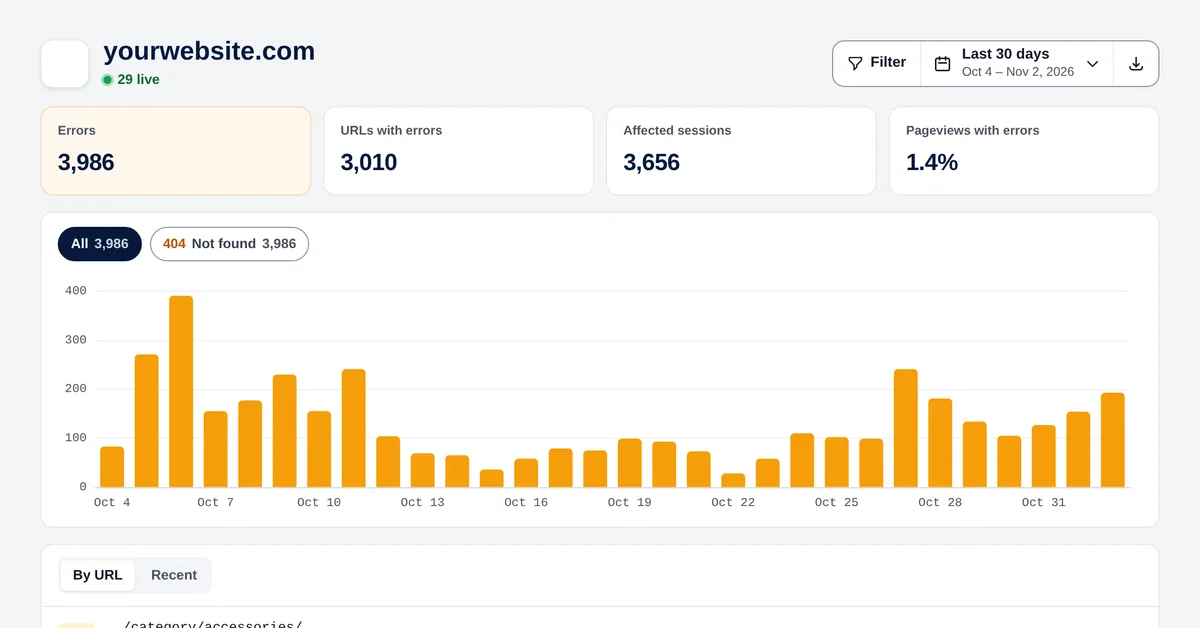
Errors report with 404 errors per day and the list of URLs with errors

Every error, by URL

The URLs with errors, how many times they failed, how many sessions they affected and when it last happened. With a chart per day and per status code.

  • 404, 410, 500, 503… each with its colour
  • Sessions affected and % of pageviews with errors
  • Filter by status code

Where the broken link is

Open a URL and see where visitors were before: a page of your own website (a broken internal link), a reload, another website or direct traffic.

  • Internal broken links highlighted
  • Referring websites that link to missing pages
  • Open the session where it happened

Protect your SEO

Broken pages waste visits and crawl budget. Find them early, redirect them and keep an eye on the trend after each deployment.

  • Recent errors, one by one
  • CSV export to share with your team
  • No setup: it works with the same script

Frequently asked questions

Do I need to install anything else?

No. Error detection works with the same Overtracking script. You can turn it on or off in the website settings.

Which errors does it detect?

HTTP errors on the pages your visitors open: 404 (not found), 410, 500, 503 and any other status code other than 200.

Can I see which link causes a 404?

Yes. For each URL you’ll see the previous page of your website, if the visitor came from one, or the external website that sent them.

Can I export the errors?

Yes, as CSV (Excel), with the URL, code, number of errors, sessions and last time.

Start measuring in 5 minutes

Cookieless web analytics with heatmaps, goals and performance. Data hosted in Europe.

Start your free trial