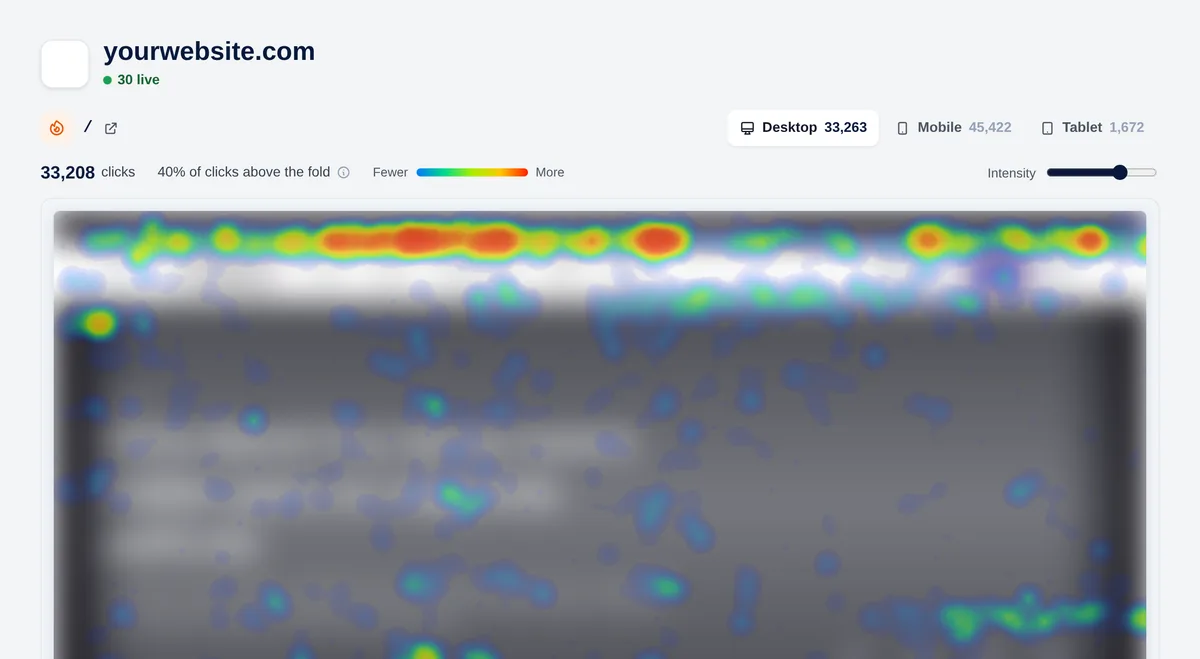
People don’t click the same way on a phone as on a computer. Each heatmap keeps the clicks of each device apart, over the capture of the page at that size.
Tabs for desktop, mobile and tablet
Clicks saved per device
Adjustable intensity
What happens above the fold
Overtracking tells you what percentage of clicks happen without scrolling, and marks the fold line on the map. If your main button is below it, you’ll see it.
% of clicks above the fold
Fold line on the map
Total clicks per page
Turn guesses into decisions
“Nobody sees this button”, “this block is a distraction”, “this call to action works better”. Heatmaps settle the debates with data.
Find ignored buttons and links
Spot distracting elements
Compare before and after a change
Frequently asked questions
Do heatmaps use cookies?
Overtracking measures using website-specific pseudonymous data and does not set cookies. Inform visitors and obtain consent where required; the absence of cookies does not guarantee an exemption.
How do I create a heatmap?
In your website settings, under Heatmaps, add the path of the page. The capture is made automatically with the next visit.
Are heatmaps included in every plan?
Yes. Every plan includes heatmaps.
Does it work on mobile?
Yes. Mobile and tablet clicks are recorded separately from desktop ones, each over its own capture.

 Español
 Deutsch
 Français
 Italiano
 Português
 中文
 日本語
 한국어