
 Español
 Deutsch
 Français
 Italiano
 Português
 中文
 日本語
 한국어



Answers in seconds
No reports to build: Claude looks up the metrics it needs and explains them to you.
Connect Claude Code or Claude Desktop to Overtracking with the MCP server and ask in plain language: “where did yesterday’s visits come from?”.
No reports to build: Claude looks up the metrics it needs and explains them to you.
Visitors, sources, pages, countries, devices, goals, JavaScript errors and Core Web Vitals of your websites.
Claude connects with your MCP token. Regenerate it whenever you want and the old one stops working at once.
In the app, open the user menu → API → MCP. There you have your token, the server address and the configuration for each client.
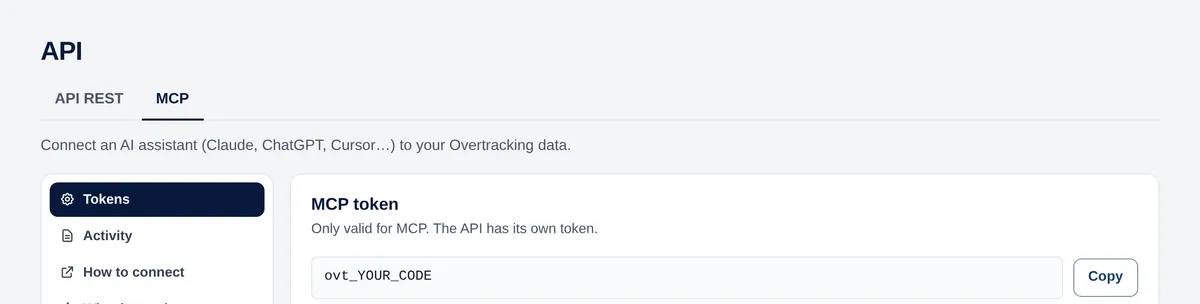
Run this command in your terminal, with your token:
claude mcp add --transport http overtracking https://mcp.overtracking.com \
--header "Authorization: Bearer YOUR_MCP_TOKEN"Go to Settings → Developer → Edit config, add this to claude_desktop_config.json and restart Claude Desktop:
{
  "mcpServers": {
    "overtracking": {
      "command": "npx",
      "args": ["-y", "mcp-remote", "https://mcp.overtracking.com",
               "--header", "Authorization: Bearer YOUR_MCP_TOKEN"]
    }
  }
}Claude chooses the right tool for each question. For example:
It has 15 tools: list your websites, read metrics and their daily evolution, break traffic down by page, channel, country or device, read goals, JavaScript errors and Core Web Vitals, and create goals or websites when you ask.
The websites of your account and the ones shared with you. Nothing else.
The MCP server has no rate limit: ask as much as you need.
Any MCP clientTry it free for 7 days. No cookies, no banners, no credit card.
Start your free trial


