
 Español
 Deutsch
 Français
 Italiano
 Português
 中文
 日本語
 한국어



15 tools
Websites, metrics, daily evolution, breakdowns by 11 dimensions, goals, JavaScript errors, Core Web Vitals, tracking code and custom domain.
Connect any assistant compatible with the Model Context Protocol, over HTTP or stdio, and ask about your data in plain language.
Websites, metrics, daily evolution, breakdowns by 11 dimensions, goals, JavaScript errors, Core Web Vitals, tracking code and custom domain.
Native HTTP for the clients that support it, and stdio through mcp-remote for the rest.
Ask as much as you need: the MCP server doesn’t limit requests.
In the app, open the user menu → API → MCP. There you have your token and the configuration for each client.
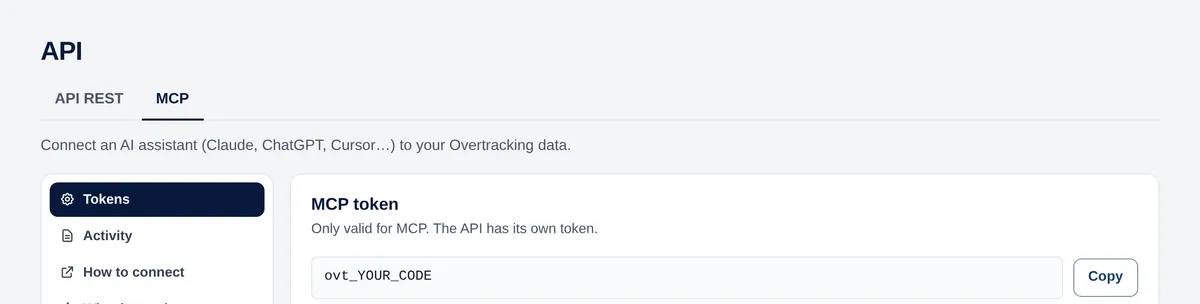
Every client connects to this address, with your token in the Authorization header:
https://mcp.overtracking.comAdd this to the client’s JSON configuration:
{
  "mcpServers": {
    "overtracking": {
      "type": "http",
      "url": "https://mcp.overtracking.com",
      "headers": { "Authorization": "Bearer YOUR_MCP_TOKEN" }
    }
  }
}Use mcp-remote, which runs with npx (you need Node.js):
{
  "mcpServers": {
    "overtracking": {
      "command": "npx",
      "args": ["-y", "mcp-remote", "https://mcp.overtracking.com",
               "--header", "Authorization: Bearer YOUR_MCP_TOKEN"]
    }
  }
}Any client that supports MCP over HTTP or stdio, such as Claude, Cursor, VS Code or Windsurf. The address and the Authorization header are always the same.
The API is for your scripts and dashboards; MCP is for AI assistants, which choose the tool for each question. Both read the same data.
REST APIThe websites of your account and the ones shared with you. Nothing else.
Try it free for 7 days. No cookies, no banners, no credit card.
Start your free trial


