
 Español
 Deutsch
 Français
 Italiano
 Português
 中文
 日本語
 한국어

From the dashboard
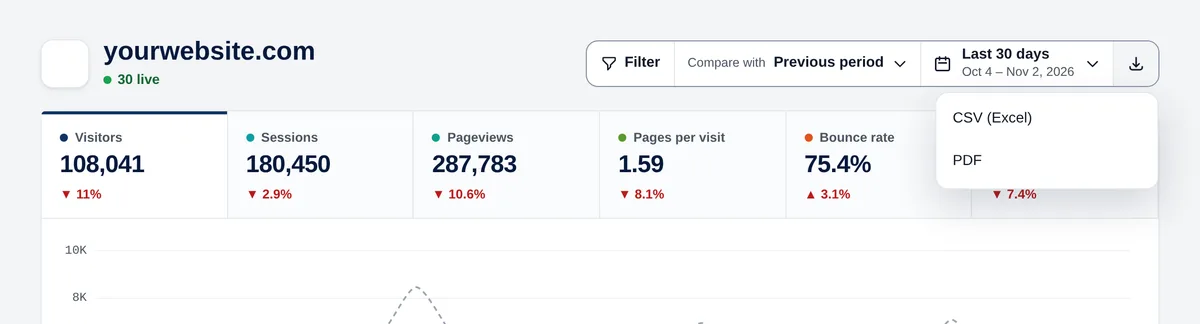
The download button next to the period offers two options:
- CSV (Excel): the metrics with their comparison and all the reports (up to 100 rows each), with the period and filters you have.
- PDF: opens the print dialog with a clean layout, without menus or buttons. Choose “Save as PDF”.
A full table
In “See more”, “Export this table” downloads all the rows (up to 50,000) with the same sorting, search and filters.
Opening the CSV in Excel
The file adapts to your language: in Spanish, German, French, Italian and Portuguese it uses semicolons and decimal commas, which is what Excel expects there; in the rest, commas and decimal points. It opens directly with a double click, with accents correct.