
 Español
 Deutsch
 Français
 Italiano
 Português
 中文
 日本語
 한국어

Create a heatmap
- Make sure heatmaps are on in Settings → General.
- In Settings → Heatmaps, add the path of the page without the domain, for example /pricing/.
- The capture of the page is taken automatically with the next visits, one per device.
Tip: Start with the pages that matter for your business: home, pricing, a product page and your main landing.
Read a heatmap
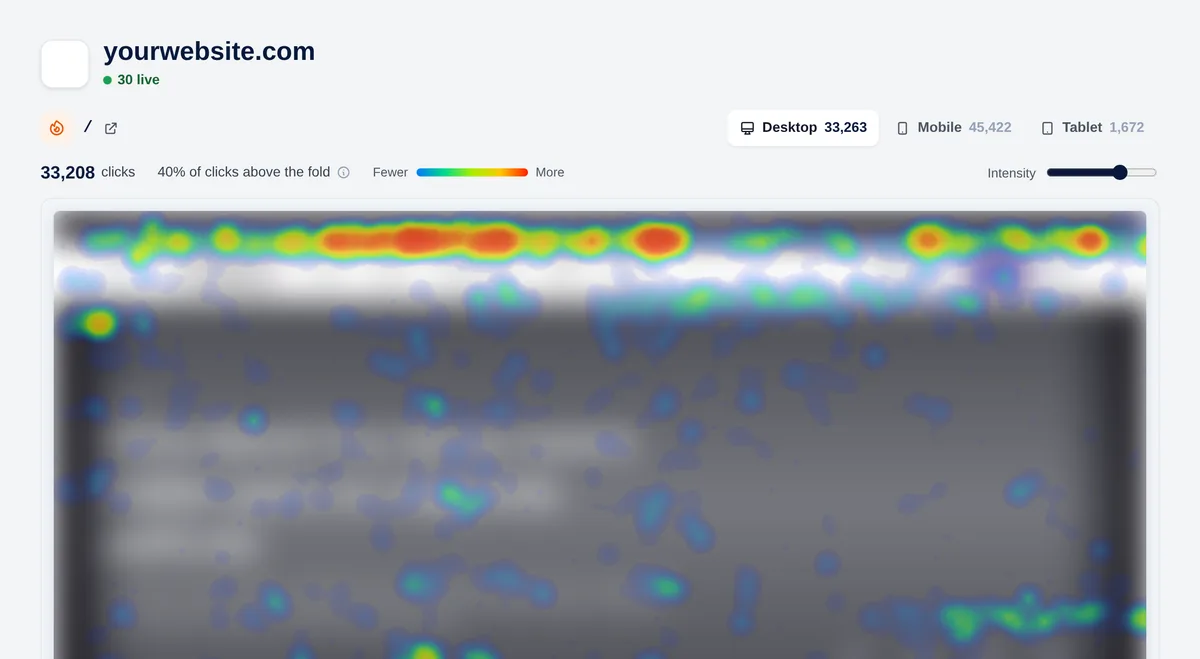
- Desktop, mobile and tablet: each device has its own clicks and capture. Look at them separately: people don’t click the same way.
- From blue (few clicks) to red (many).
- “% of clicks above the fold”: how many happen without scrolling. The dashed line marks the fold.
- Intensity: raise it if there are few clicks, lower it if everything looks red.
What to look for
- Your main button has few clicks: move it higher or make it stand out.
- Many clicks on something that isn’t a link (an image, a heading): people expect it to be one.
- Clicks spread across many menu items: maybe your navigation isn’t clear.