
 Español
 Deutsch
 Français
 Italiano
 Português
 中文
 日本語
 한국어

General
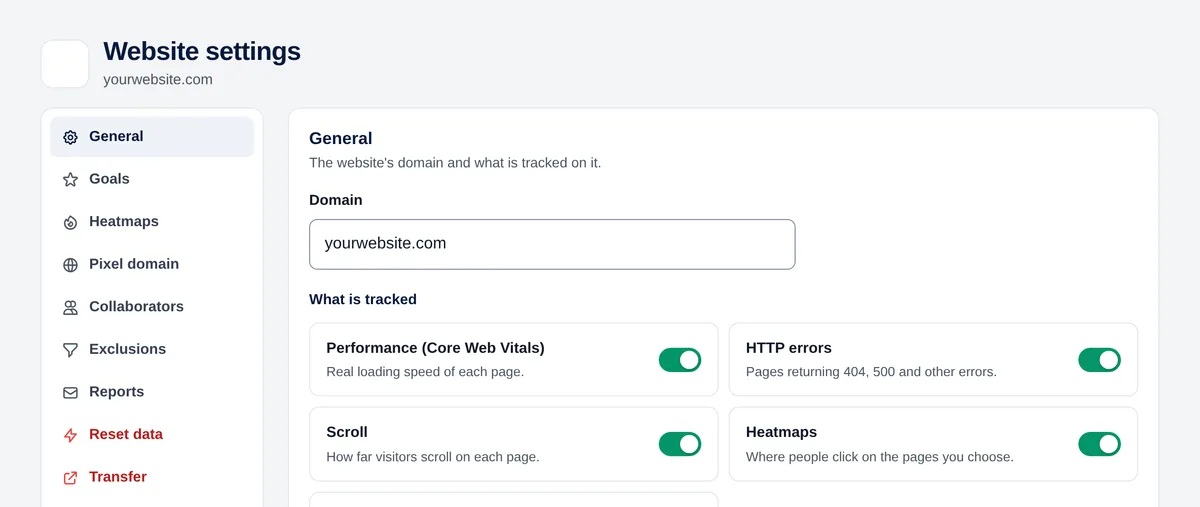
- Domain of the website. If you change it, the code stays the same.
- What is measured: Core Web Vitals, HTTP errors, scroll and heatmaps. Turn off what you don’t use.
- Subdomains: shows the pages of your other subdomains with their name (shop.mydomain.com/cart/).
- The tracking code, ready to copy.
Danger zone
- Reset data: asks to delete the statistics while keeping the website and its settings.
- Transfer: gives the website to another Overtracking account (asks for your password and, if you have it, your two-step code; both accounts receive an email).
- Delete website: stops measuring it.
Each one asks you to type the domain to confirm.
Only the owner can change the settings. Collaborators see them in read-only mode.