
 Español
 Deutsch
 Français
 Italiano
 Português
 中文
 日本語
 한국어

The three tabs
- Pages: pageviews and visitors of each URL.
- Entry: the first page of each session. These are your doors: home, articles found on Google, campaign landings.
- Exit: the last page of each session. Not necessarily bad: a thank-you page should be an exit.
URLs are shown by path (/blog/my-article/). If you measure several subdomains, those from another subdomain show the host in front (shop.mydomain.com/cart/).
The page of a URL
Hover over a page and click “See the URL page”: the whole dashboard limited to that page, plus its journey:
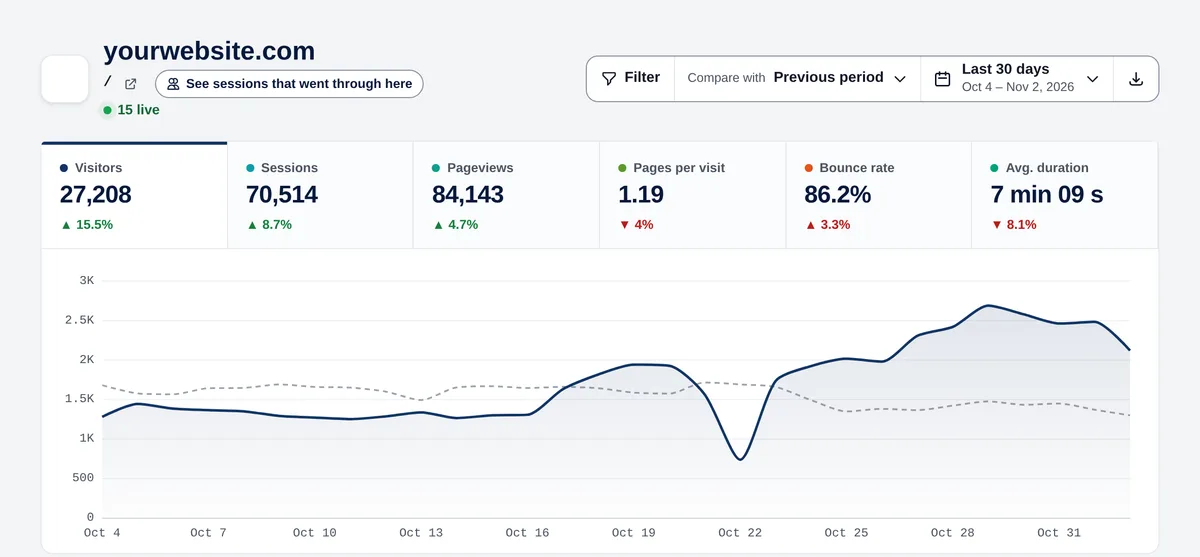
- Entries and exits: how many sessions start and end there.
- Exit rate: of the sessions that see the page, how many leave from it.
- Time on the page.
- Arrive from: the previous pages (or “Enter directly here”).
- Go to: the next pages (or “Leave the website”).
Practical uses
- A page with many entries and a high exit rate: people arrive and don’t continue. Add a clear next step (related articles, a button).
- A product page with few entries: it isn’t being found. Work on its SEO or link it from your most visited pages.
- Check “Arrive from” on your contact or checkout page to know which content leads to it.