
 Español
 Deutsch
 Français
 Italiano
 Português
 中文
 日本語
 한국어

Choose the type of goal
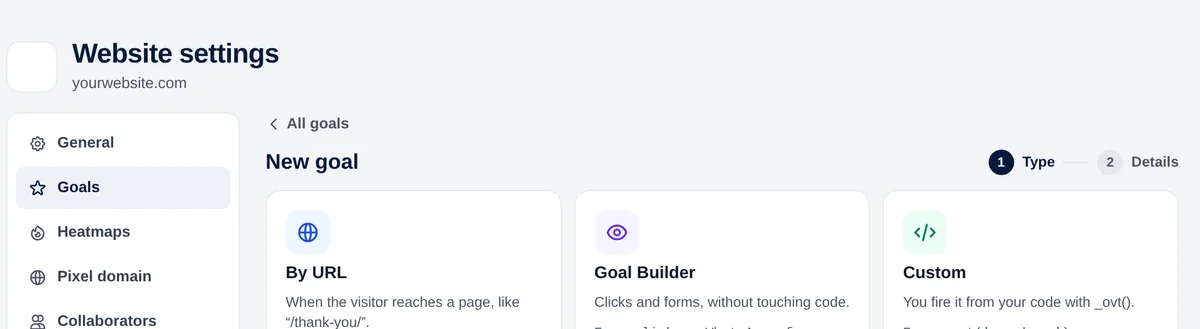
| Type | Counts when | Example |
|---|---|---|
| By URL | A visitor reaches a page | Thank-you page after a form |
| Goal Builder · link | Someone clicks a link by its address | A link to wa.me (WhatsApp) |
| Goal Builder · button | Someone clicks a button by its text | The “Request a quote” button |
| Goal Builder · click | Someone clicks an element (CSS selector) | #download-catalogue |
| Goal Builder · form | Someone submits a form (CSS selector) | form.newsletter |
| Custom | Your code calls _ovt() | Payment confirmed |
Create a goal by URL
- Settings → Goals → New goal → “By URL”.
- Name: what you’ll see in the reports, for example “Contact request”.
- Condition: equals, starts with, ends with or contains.
- Value: the path, for example /thank-you/.
- Optional: a value in euros. Save.
Tip: Use “contains” if the page has variants (/thank-you/?id=123) or exists in several languages (/en/thank-you/ and /es/thank-you/).
Create a goal with the Goal Builder
For clicks and forms that don’t lead to their own page, without touching your code:
- Link: a part of its address (wa.me, tel:, mailto: or /catalogue.pdf).
- Button: its visible text, exactly as it appears.
- Click or form: a CSS selector.
To get the CSS selector of an element: right-click on it → Inspect, and use its id (#my-button) or a class (.newsletter-form).
Before saving, “How it will be counted” explains your rule in one sentence. Read it: it’s the quickest way to spot a mistake.
Read the results
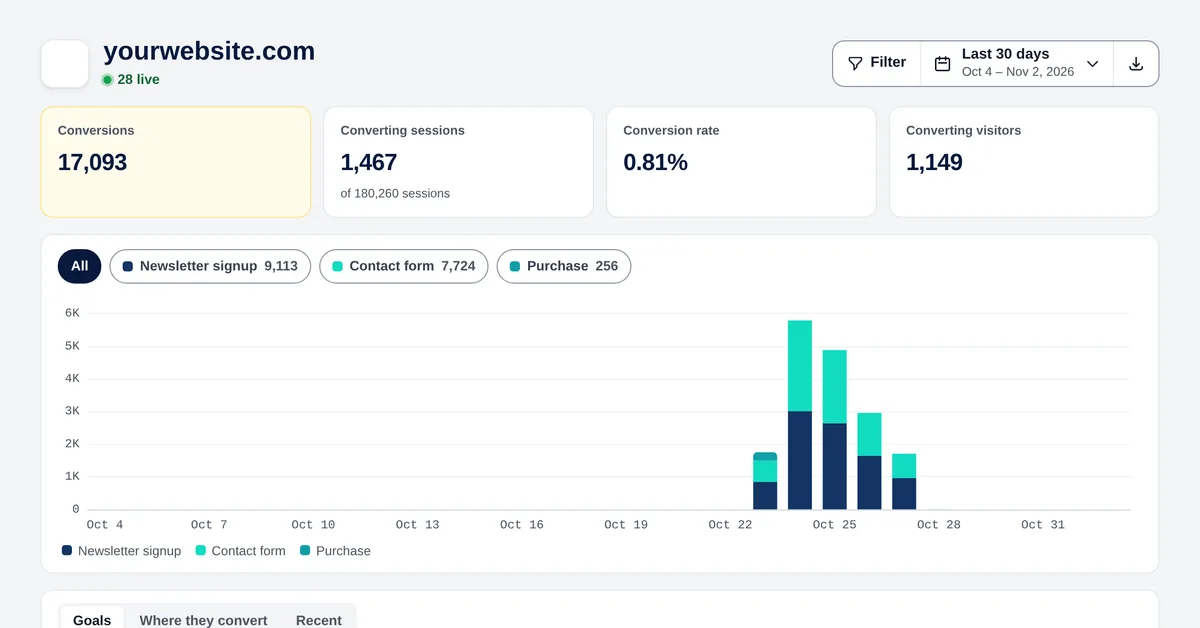
- Conversions, converting sessions, conversion rate (converting sessions out of all sessions) and total value.
- Click a goal’s chip to see only that goal.
- Where they convert: the pages where each conversion happens.
- Recent: every conversion; it opens the session that produced it.
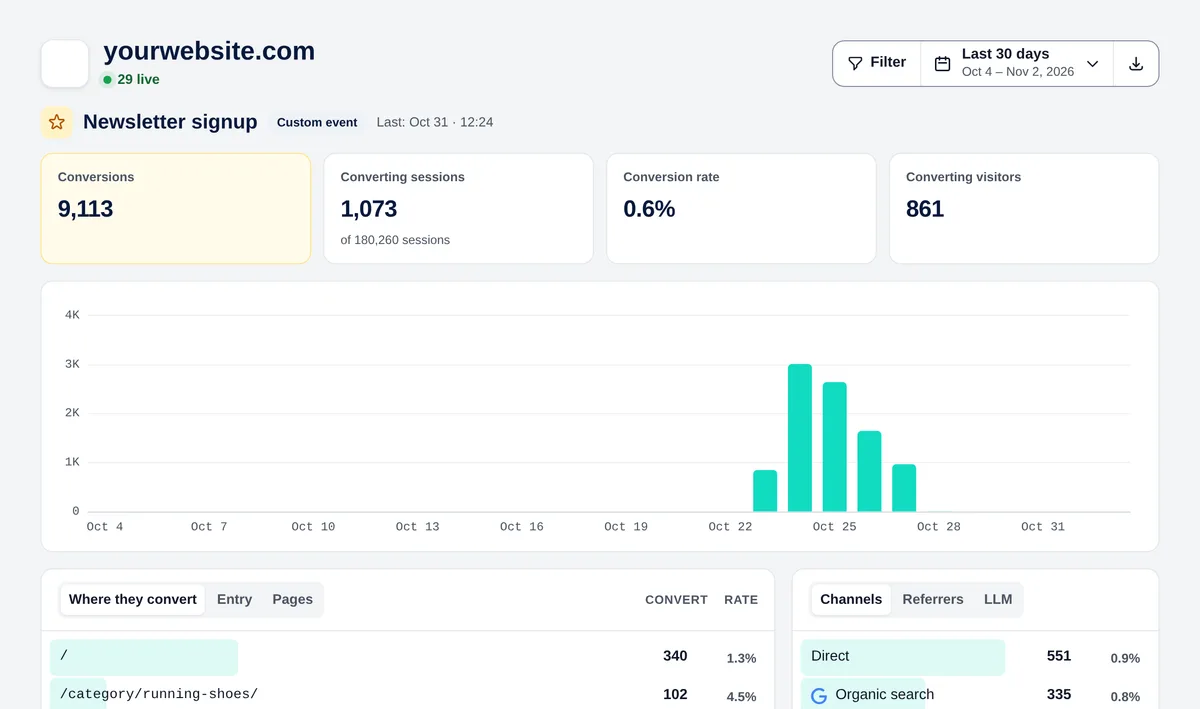
Open a goal to see which channels, countries, devices and campaigns convert it, each with its own conversion rate. That’s where you discover which source brings customers, not just visits.


