
 Español
 Deutsch
 Français
 Italiano
 Português
 中文
 日本語
 한국어

The list
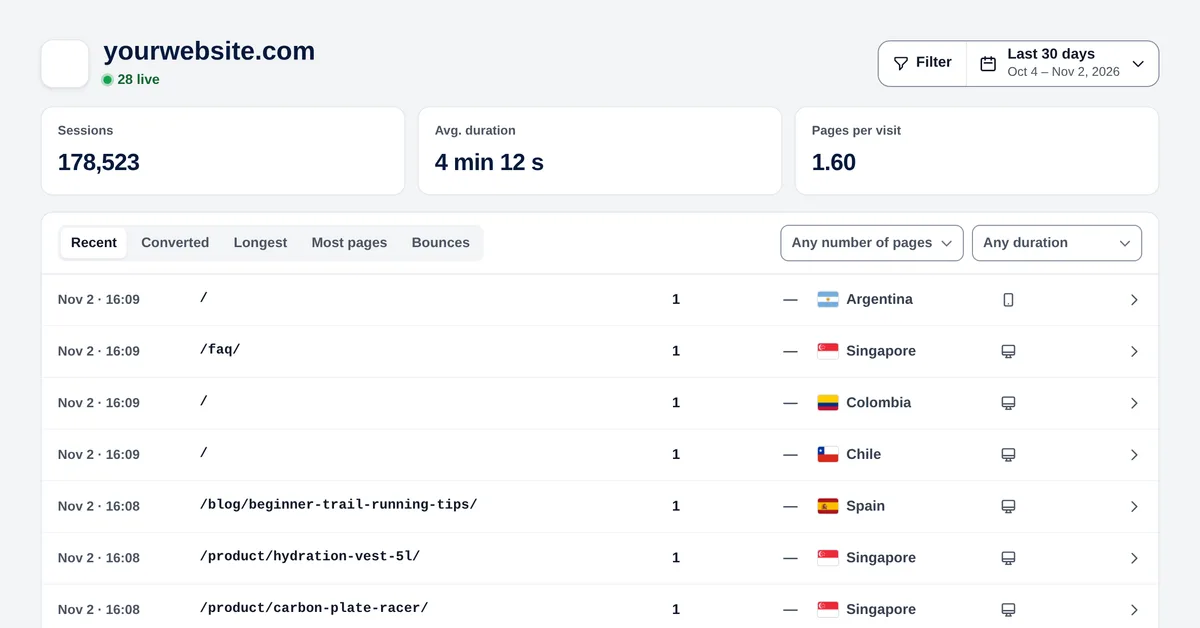
- Views: Recent, Converted, Longest, Most pages and Bounces.
- Conditions: “more than N pages” (1, 2, 3, 5, 10) and “more than N” of duration (10 s to 10 min).
- The same filters as the dashboard: a session appears if any of its pages matches.
One session
Open a session to see:
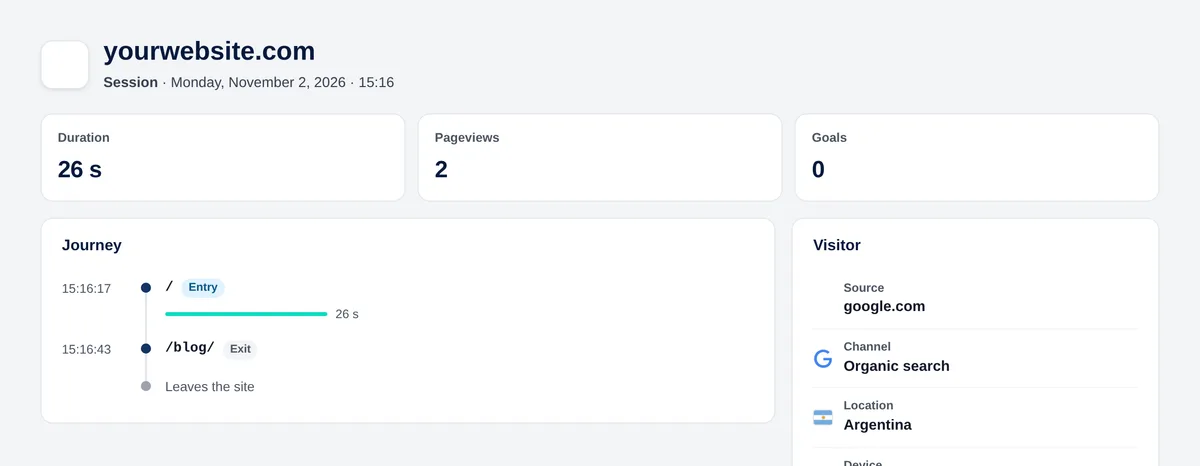
- The journey: each page, with the time spent on it, marked as entry and exit, and the goals at the moment they happened.
- The visitor: source, channel, UTM, location, device, browser, system, screen and language.
Every session has its own address, so you can send it to your team.
Identify your users
If your users log in to your website or app, add their identifier to their session: you'll see who each visit is in real time and in their sessions.
_ovtSet({ user_id: '123' });Call it on every page load with the user identified (in a single-page app, once is enough). If your code runs before the tracking code, use:
window._ovtData = { user_id: '123' };- Up to 10 values per session, up to 100 characters each.
- Names with letters, numbers and _ . -
- They appear in Real time (pages being viewed now and live activity), in the sessions list and in each session.
No cookies: nothing is stored in the browser. Use an internal identifier, not the email address: for privacy, email addresses are not stored.
Practical uses
- Converted view: understand the path that leads to a sale before optimising it.
- Longest sessions with no conversion: see where interested people get stuck.
- Bounces from a campaign: filter by its UTM and check whether the landing matches the ad.